Best Free AI Writing Tools for Bloggers
Free AI writing tools have gotten genuinely good. Not “good enough to fake it” good, but good enough that a solo blogger with zero budget can now draft, edit, and polish content at a pace that used to require a small team. The catch is that no single tool does everything well, so the trick is knowing which one to reach for at each stage of writing a post.
Quick Take
If you only pick one tool, start with ChatGPT for drafting and idea generation, then run your finished draft through Grammarly for grammar and clarity, and QuillBot if you need to smooth out anything that reads too stiff or robotic. That three-tool combination covers most of what a blogger actually needs, and all three have workable free tiers.
1. ChatGPT: Best All Around Free Option
ChatGPT’s free tier remains the most flexible entry point for bloggers. It handles brainstorming topic ideas, drafting outlines, writing full sections, generating FAQs, and explaining complicated subjects in plain language, all without a strict word cap on the free plan.
Where it falls short is originality at scale. Lean on it too heavily without editing, and your posts start to sound like everyone else’s ChatGPT drafts. Treat it as a first draft generator and research assistant, not a finished product machine.
Best for: outlines, brainstorming, and first drafts you plan to heavily edit afterward.
2. Claude: Best for Longer, More Nuanced Drafts
Claude tends to produce longer form writing with a more natural sentence rhythm than some competitors, which makes it a strong choice when a post needs real depth rather than a surface level summary. It also handles nuanced instructions well, so if you give it detailed style guidance, it tends to stick closer to it across a long piece.
Best for: in depth guides, comparison articles, and anything requiring careful, structured reasoning.
3. Google Gemini: Best if You Already Live in Google Docs
Gemini’s biggest advantage isn’t raw writing quality. It’s convenience. Since it’s built into Google Workspace, bloggers who draft directly in Google Docs can pull AI assistance into the same window they’re already writing in, without switching tabs or copying text back and forth.
Best for: bloggers who draft primarily inside Google Docs and want AI help without leaving the app.
4. Grammarly: Best for Catching What You Missed
Grammarly isn’t a content generator, and that’s exactly why it belongs in this list. Once a draft exists, Grammarly’s free tier checks grammar, spelling, and basic sentence structure, catching the small errors that slip past a tired set of eyes during a late night editing pass.
Best for: a final grammar and clarity pass before hitting publish.
5. QuillBot: Best for Fixing Text That Sounds Robotic
QuillBot built its reputation on paraphrasing, and that skill has become especially useful for bloggers using AI drafts as a starting point. Running a stiff, AI sounding paragraph through QuillBot often smooths it into something that reads more naturally, without losing the original meaning. The free tier includes unmetered basic paraphrasing along with a grammar checker.
Best for: rewriting sections that feel too generic or obviously AI generated.
6. Copy.ai: Best for Quick Intros and Outlines
Copy.ai leans into short form generation rather than full length drafting. It’s genuinely fast at producing blog introductions, content outlines, and topic ideas, which makes it useful in the early planning stage of a post even though its free plan caps out at a modest monthly word limit.
Best for: quick intros, outlines, and idea generation in short bursts.
7. Writesonic: Best for SEO Structured Drafts
Writesonic’s Article Writer is built with SEO structure baked in from the start, generating drafts with proper heading hierarchy and keyword placement already in place. For bloggers whose main traffic source is organic search, this can save real time compared to structuring a draft manually after the fact.
Best for: SEO focused articles where heading structure and keyword placement matter from the first draft.
8. Rytr: Best Lightweight Option for Beginners
Rytr keeps its interface simple, which makes it a reasonable starting point for bloggers who find more feature heavy tools overwhelming. It won’t out write the more advanced options on this list, but for short sections, simple rewrites, or a blogger just getting comfortable with AI assisted writing, it does the job without a steep learning curve.
Best for: beginners who want a simple, low friction entry point into AI writing tools.
9. Hemingway Editor: Best for Readability
Hemingway Editor isn’t AI in the generative sense, but it earns its place here because readability is where a lot of AI generated drafts quietly fail. It flags overly long, complex sentences and passive voice, pushing your writing toward the kind of clear, direct style that both readers and search engines tend to reward.
Best for: tightening sentence structure and improving overall readability before publishing.
How to Actually Combine These Tools
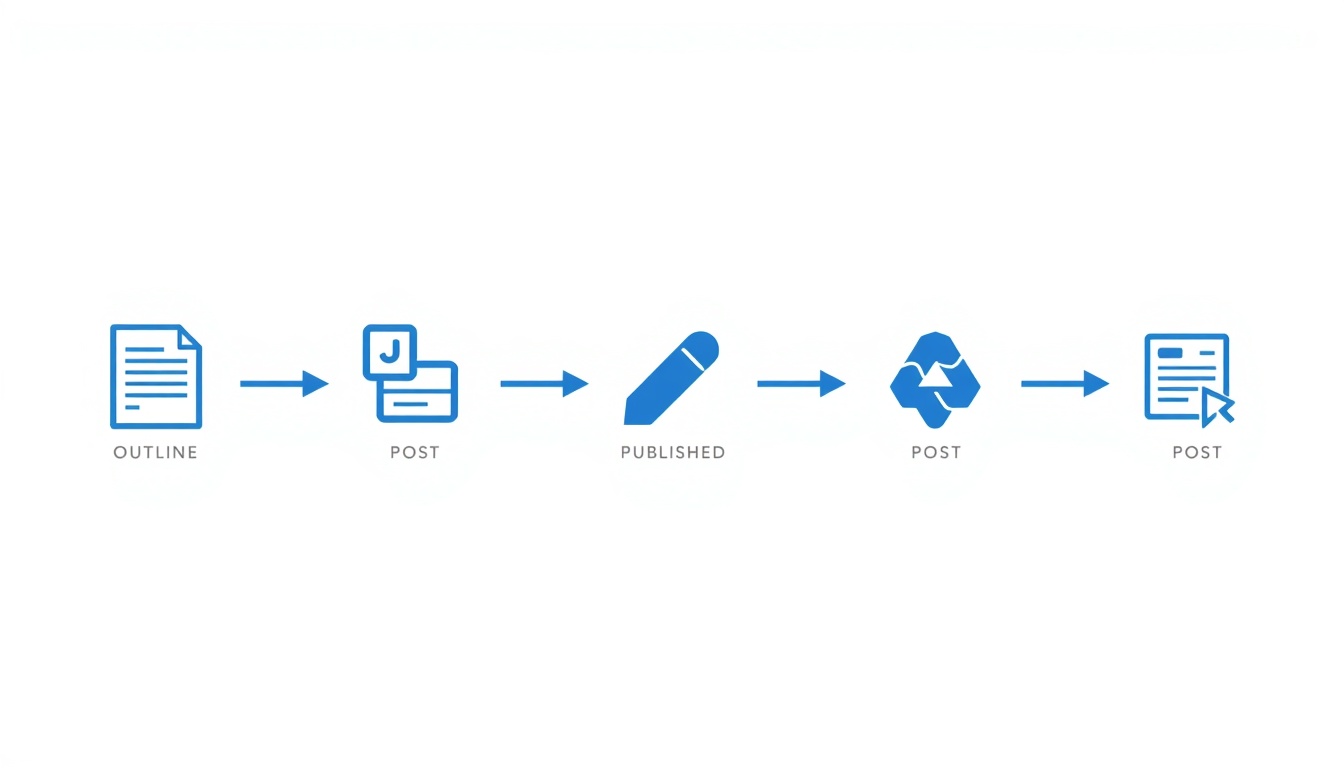
Trying to find one tool that does everything is the wrong approach. A more realistic workflow looks like this:
- Brainstorm and outline with ChatGPT or Claude
- Draft the full post, editing as you go rather than accepting output wholesale
- Run stiff or robotic sounding sections through QuillBot
- Check structure and keyword placement with Writesonic if SEO is a priority
- Finish with a Hemingway Editor readability pass, then a Grammarly grammar check before publishing
No single free tool replaces this whole process, but combining two or three from this list covers nearly all of it without spending a dollar.
A Word of Caution
None of these tools are a substitute for actually knowing your subject. Publishing AI generated text without reviewing it, skipping keyword research entirely, or leaning on a single tool for everything from ideas to final copy tends to produce content that reads exactly like what it is. Used as an assistant rather than an author, though, these tools genuinely do save hours every week.
FAQ’s
Can I really write an entire blog using only free AI tools?
Yes, though quality varies depending on how much editing you’re willing to do. Combining a drafting tool like ChatGPT with an editing tool like Grammarly or QuillBot gets most bloggers to a publishable result without paying for anything.
Which free AI writing tool is best for SEO specifically?
Writesonic is generally the strongest free option here, since it builds heading structure and keyword placement into the draft itself rather than requiring manual restructuring afterward.
Do free plans have real limitations I should know about?
Yes. Tools like Copy.ai and Rytr cap monthly word counts on their free tiers, while ChatGPT’s free plan is more generous on volume but can hit usage limits during high demand periods. Combining multiple free tools is a common workaround.