Common Cybersecurity Mistakes Small Businesses Make
Attackers do not choose small businesses because of who they are. They choose them because they are easy. A shop, a studio, a clinic, or a two-person agency usually holds money, customer data, and access to suppliers, but rarely has a security team watching over it. National cybersecurity agencies keep repeating the same message in their guidance for small organizations: most successful attacks exploit basic failures, not clever tricks. That is good news, because basic failures can be fixed. This guide ranks the most common cybersecurity mistakes small businesses make, explains why each one hurts, and gives you a fix you can start in under an hour.
Why Small Businesses Get Targeted
Three things make small businesses attractive. First, they hold valuable things, including customer details, payment information, and direct access to bank accounts. Second, their defenses are often thinner than those of large companies, since there may be no dedicated security staff and little time to spare. Third, they can be a stepping stone. Criminals sometimes break into a small supplier in order to reach a larger customer, using the trust between them. Much of the attacking is also automated, with criminals scanning for weak logins and unpatched systems across thousands of businesses at once, so being small does not make you invisible.
The Mistakes at a Glance
| Mistake | What goes wrong | A fix in under an hour |
|---|---|---|
| Relying on passwords alone | One stolen password opens the account | Turn on multi factor authentication for email and banking |
| Reusing or sharing passwords | One breach spreads to every account | Give everyone their own login, and use a password manager |
| Skipping software updates | Known weaknesses stay open | Switch on automatic updates for devices and apps |
| No tested backups | Ransomware or a failure destroys the business | Set up automatic backups, and restore one file as a test |
| Paying invoices without checking | Money goes to a criminal | Confirm bank detail changes by phone, using a known number |
| Untrained staff | Someone clicks a convincing phishing link | Hold a short briefing, and make reporting easy |
| Too much access | One compromised account can reach everything | Limit admin rights, and remove leavers at once |
| Default settings | Easy to guess router and device passwords | Change every default password |
| No plan for an incident | Panic and delay make the damage worse | Write a one page contact and response list |
Mistake One: Relying on Passwords Alone
Passwords get stolen through phishing, data breaches, and guesswork, and a business that relies on them alone has one lock on its front door. The Australian Cyber Security Centre lists multi factor authentication as one of three measures it recommends to every small business as a starting point, alongside updating software and backing up data. Multi factor authentication asks for a second proof of identity, such as a code from an app, after the password. Turn it on first for email, banking, accounting software, website admin, and any remote access, since those are the accounts an attacker wants most. The full setup is explained in setting up two factor authentication on all your accounts.
Mistake Two: Reusing and Sharing Passwords
A shared login for the whole team feels convenient, but it means that nobody can tell who did what, and nobody can remove one person’s access without changing it for everybody. Reusing the same password across systems is worse, because one breach at one service hands criminals the key to the others. Give each person their own account, use strong and unique passwords, and consider a password manager for storing them. Guidance such as creating strong passwords you can actually remember helps staff build passphrases that are strong without being impossible to recall. Also change every default password that came with a router, camera, printer, or other device, since attackers try the factory settings first.
Mistake Three: Skipping Updates
Software updates fix security holes that criminals already know about, and an out of date system is an open invitation. The advice from security agencies is simple: install updates as soon as they are available, and switch on automatic updates wherever you can. That includes computers, phones, routers, website platforms and plugins, and business apps. If a system is so old that it no longer receives updates, plan to replace it, since it will only become a bigger risk over time.
Mistake Four: No Backups, or Backups Nobody Has Tested
For many small businesses, losing all their files would be catastrophic, and ransomware can make that happen overnight. A backup is only useful if it works. Back up automatically, keep one copy somewhere that an attacker on your network cannot reach, and test a restore by recovering a single file at least every few months. The practical steps are covered in setting up cloud backup for your files, and they apply to a business as much as to a household.
Mistake Five: Treating Phishing as Someone Else’s Problem
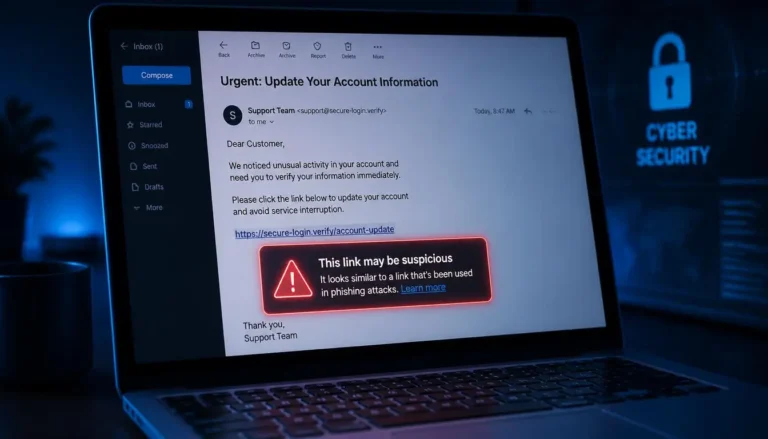
Phishing is the most common way into a small business. A convincing email asks someone to click a link, open an attachment, or enter a password on a fake login page. Phishing is also used to take over a business’s social media and email accounts, sometimes to demand a ransom. The people clicking are not careless. The messages are well made, and busy people make mistakes. Train everyone, including the owner, to recognize the signs, such as urgency, unusual requests, unexpected attachments, and slightly wrong sender addresses, using the examples in how to spot a phishing email. Just as important, create a culture in which reporting a suspicious message is welcomed, so that staff speak up quickly instead of hiding a mistake.
Mistake Six: Paying Invoices Without Checking
This one costs businesses real money, and it is called business email compromise. Criminals pretend to be a supplier, a customer, or a senior colleague, and they ask for a payment or a change of bank details. Cyber security agencies describe cases in which a small construction business received an email from a supplier saying it had changed banks. The supplier’s email account had been hacked, the new account details belonged to the criminals, and no money was recovered.
The defense is a simple habit. Whenever a request involves money or a change to bank details, confirm it through a second channel, such as a phone call to a number you already hold, never one from the email itself. Make this a firm rule, with no exceptions for urgency, and make sure that no single person can approve large payments alone.
Mistake Seven: Giving Everyone Too Much Access
If every member of staff has administrator rights, then any one compromised account can reach everything. Give people only the access that their role requires, and keep administrator accounts separate from everyday ones. Keep a simple list of who has access to which systems, and review it regularly. When someone leaves, remove their access the same day, including shared accounts, email, and cloud tools, since forgotten accounts are a favorite way in.
Mistake Eight: Ignoring Devices and Networks
Small businesses often run on a mix of company and personal phones and laptops, home networks, and public Wi-Fi. Each is a potential weakness. Require screen locks, encryption, and updates on any device that touches business data, and set up a way to find or wipe a lost phone. Secure your office router, and keep guests on a separate network. If your team works from home, the habits in data privacy tips for remote workers are a useful starting point.
Mistake Nine: Having No Plan When Something Goes Wrong
Even well protected businesses can be hit, and the first hour matters. Without a plan, people panic, delay, or make things worse. A one page response plan is enough for a small business. It should list who to call first, how to isolate affected devices, how to contact your bank, your IT support, and your insurer, and where your backups are. Keep a printed copy, since you may not be able to reach a digital one. If your business email is compromised, the steps in what to do if your email gets hacked will guide the first response.
Your One Week Fix Plan
You do not need to do everything at once. Spread these fixes across a working week, an hour or less each day.
- Monday: Lock the logins. Turn on multi factor authentication for email, banking, and accounting. Change any default passwords.
- Tuesday: Clean up access. Give everyone their own account, remove anyone who has left, and limit administrator rights.
- Wednesday: Update everything. Turn on automatic updates for computers, phones, the router, and business software.
- Thursday: Protect the data. Set up automatic backups, and restore one file to prove they work.
- Friday: Prepare the people. Hold a short phishing briefing, agree a rule to verify payment changes by phone, and write your one page incident plan.
After that, set a reminder to repeat a quick review every quarter. Security is not a project that ends. It is a set of habits, and a small business that practices these basics is already a much harder target than most.